01
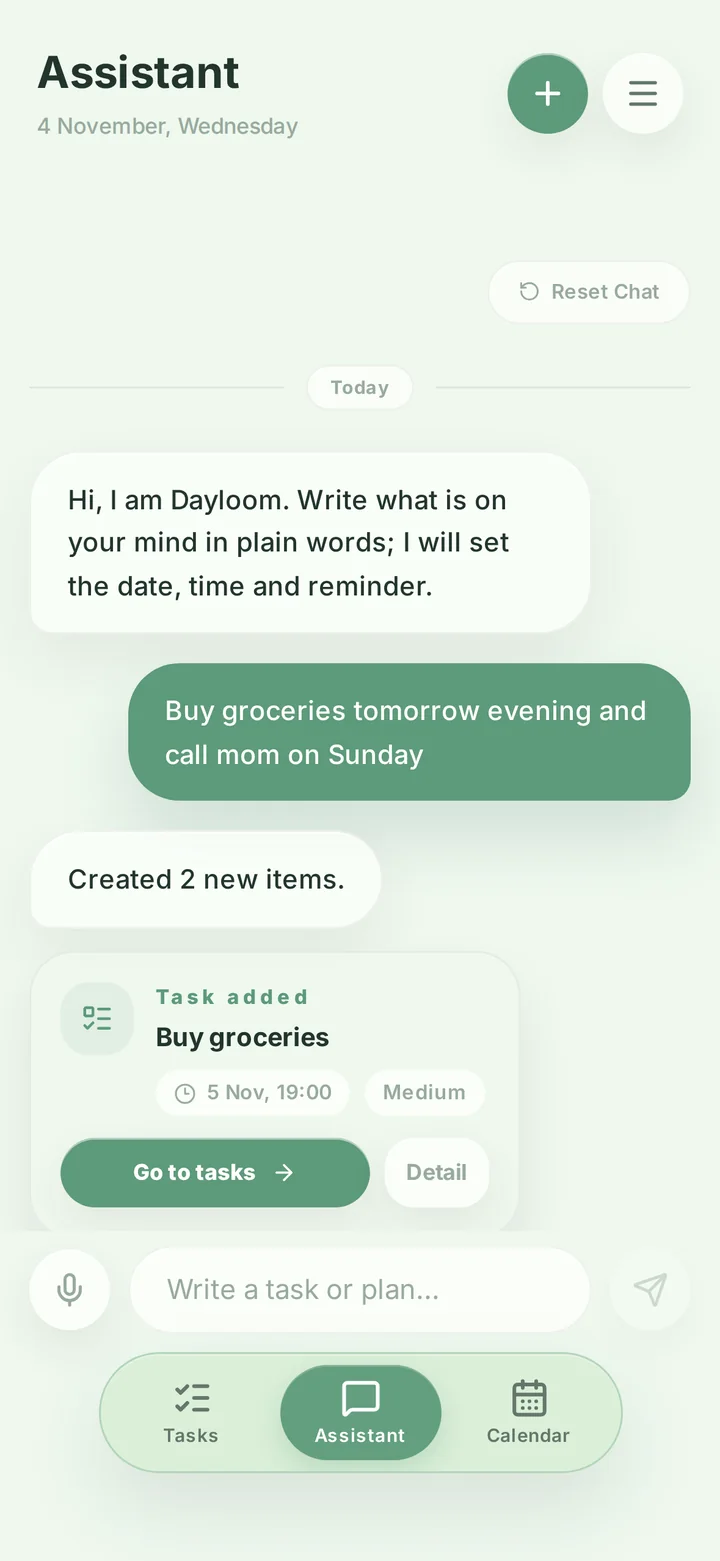
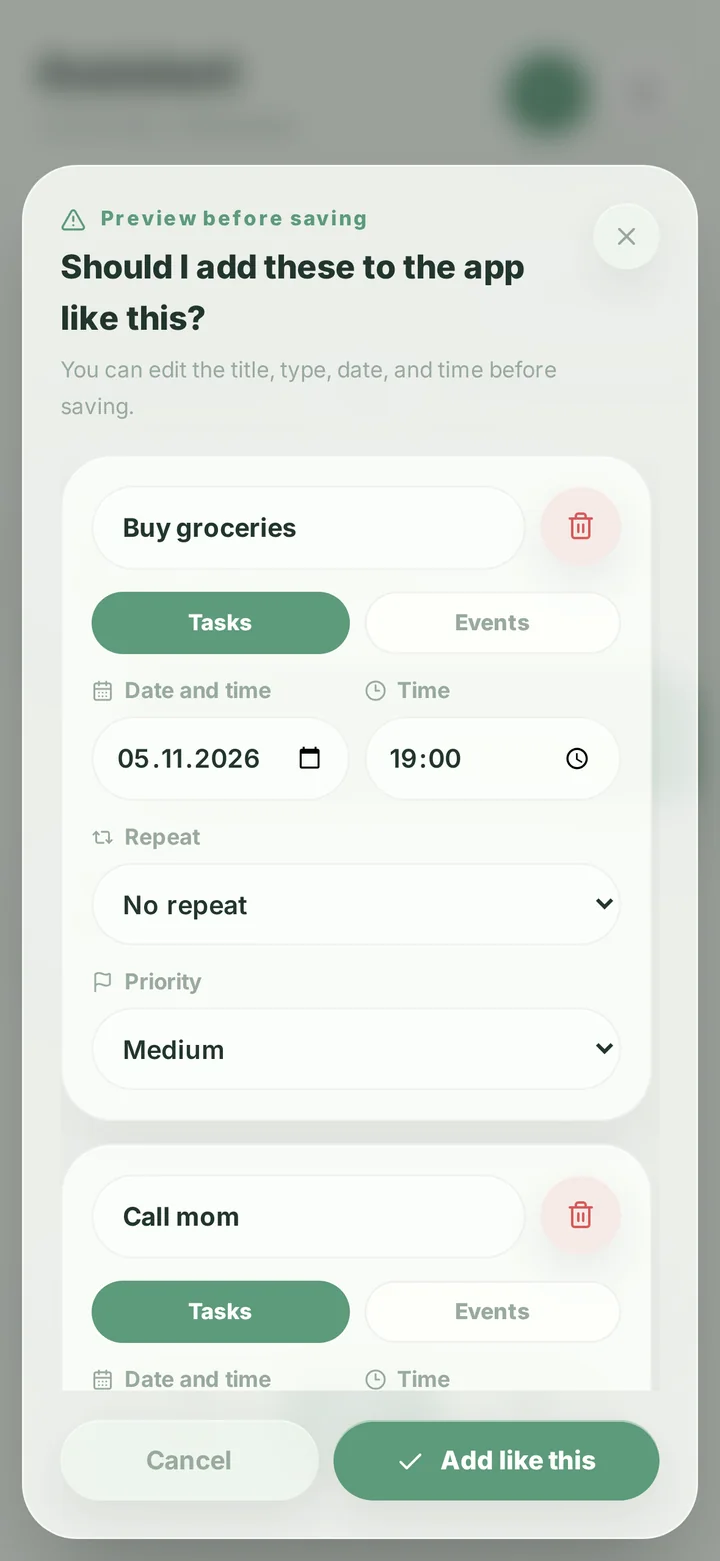
See it before you save it.
Date, time and repeat are picked out. Fix anything, then add it.
Planner for Android
Tasks, calendar and reminders in one planner.

Free · No account needed to start
01
Date, time and repeat are picked out. Fix anything, then add it.
02
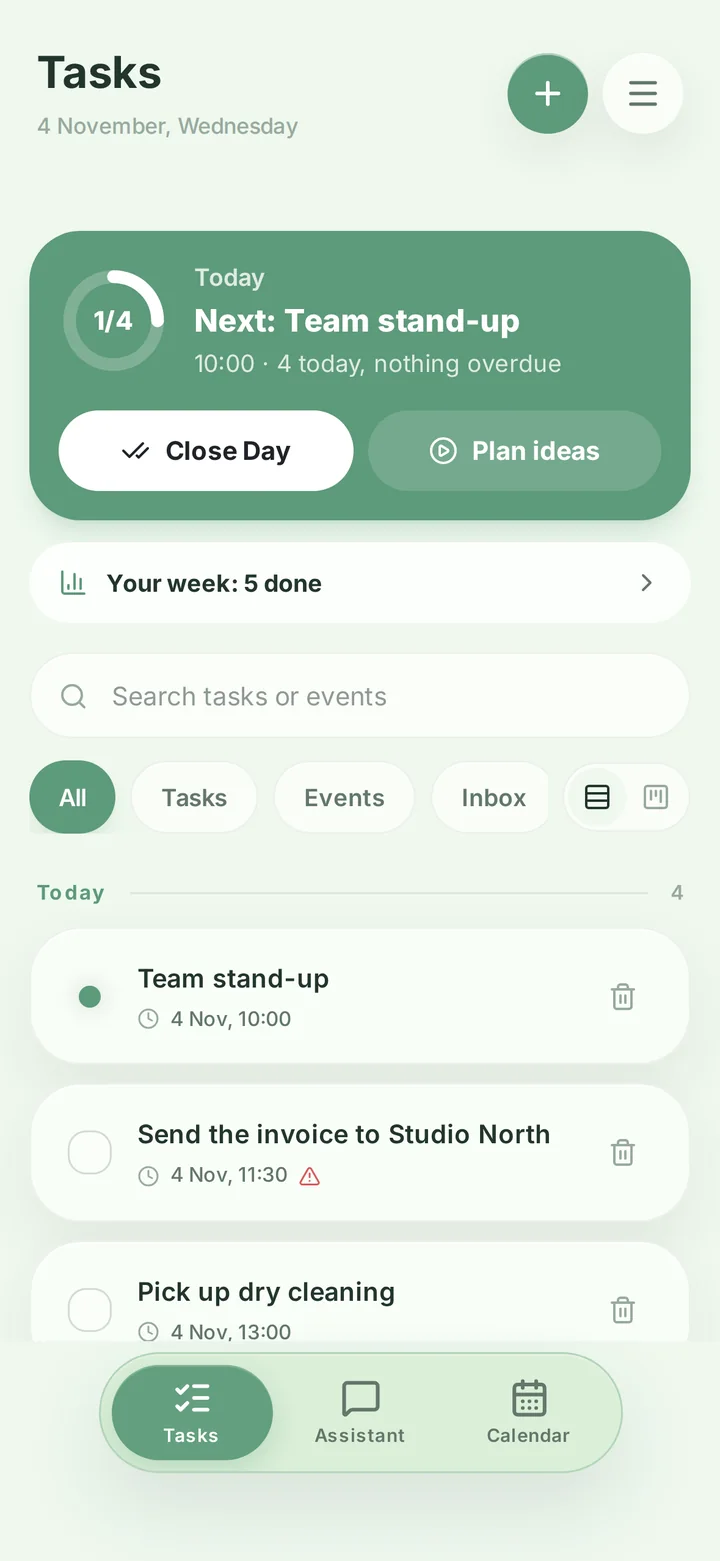
Next up, done and overdue in one card.
03
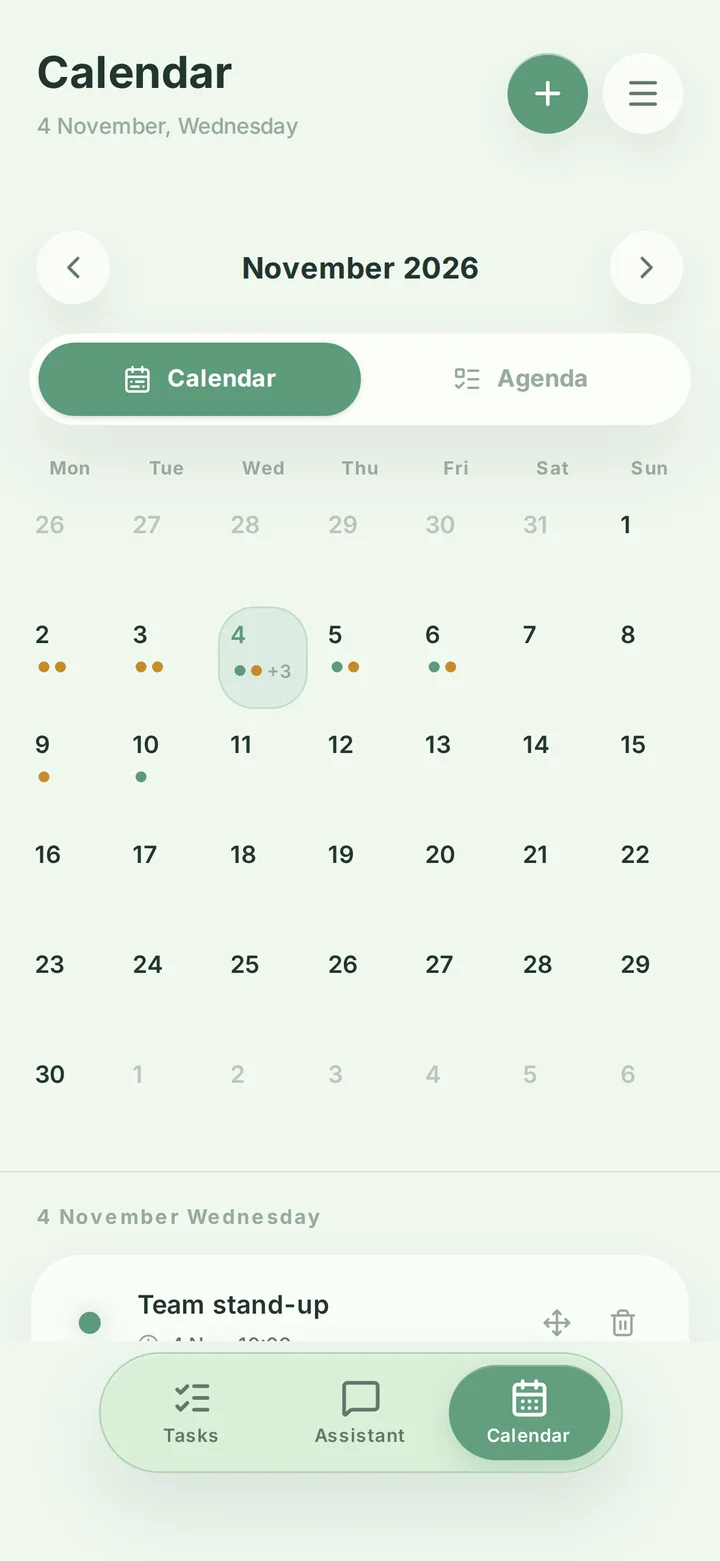
Busy days are marked. Tap one to see it.
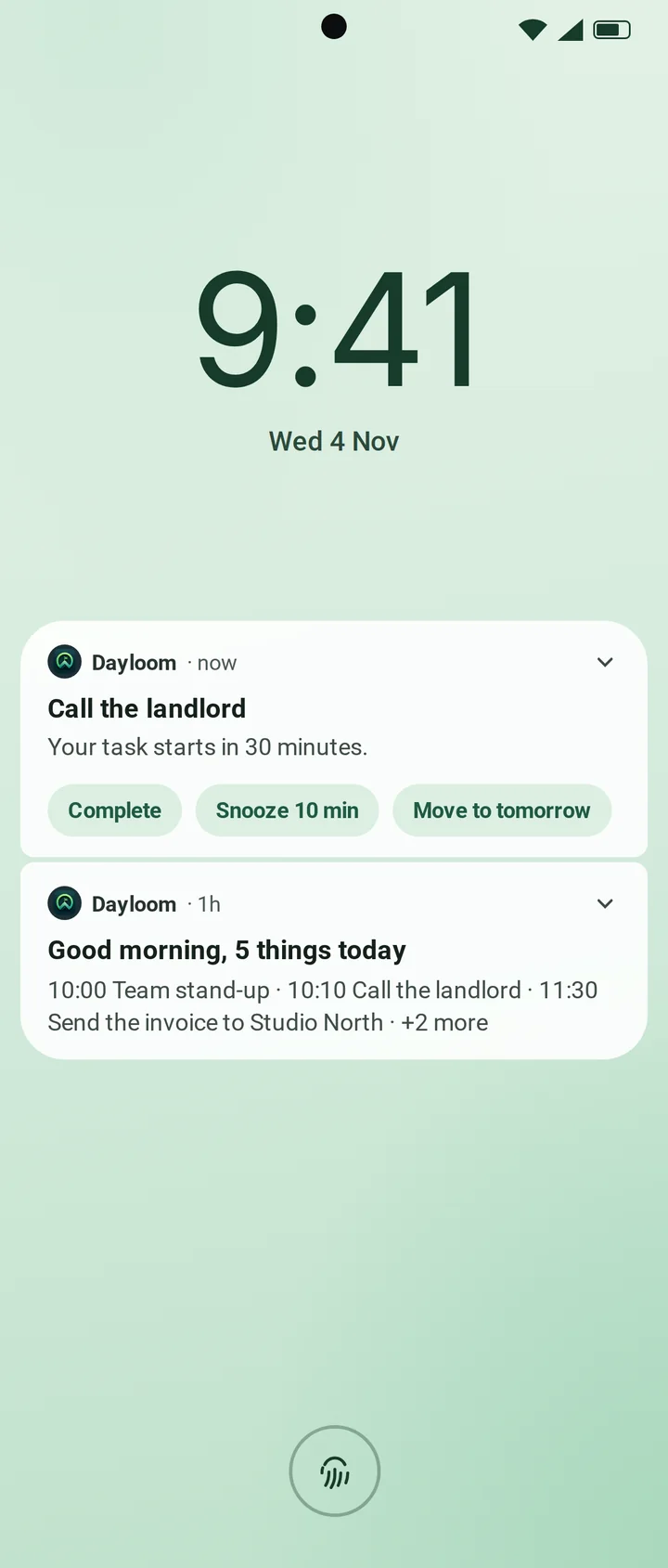
04
Complete, snooze or move it to tomorrow. Without opening the app.
No. You can add up to 10 tasks without one. After that, a free account is enough.
Yes. Tasks, calendar, reminders, repeating tasks, widgets and cloud backup are free; the free version shows ads. Premium removes ads and adds extra features.
Type “dentist tomorrow at 10” or “gym every Monday” and Dayloom finds the task, date, time and repeat on your phone, offline. It understands English, Turkish and Spanish.
Yes. Only backup and the assistant need internet.
Android only for now.
Google Play > Payments & subscriptions > Subscriptions.
In the app: Settings > Delete account, or use this page.
